Avast One Review: Comprehensive Protection and Privacy Features for a Safer Online Experience
In an era where we spend more time online than ever before, maintaining security across our digital devices has never been more crucial.
In an era where we spend more time online than ever before, maintaining security across our digital devices has never been more crucial. While Windows offers some built-in protection, such as antivirus tools and firewall capabilities, independent antivirus solutions like Avast One provide enhanced protection against viruses, malware, and online threats. Avast One is designed with privacy and identity protection at the forefront, making it a solid choice for most users.
Comprehensive Protection with Avast One
Avast offers two main lines of paid products powered by the same antivirus engine, with Avast One standing out for its focus on identity protection and online privacy. Avast One is ideal for anyone concerned with the growing number of online threats, such as phishing schemes, malware, ransomware, and potential data breaches. It upgrades the existing defenses available in the free Essentials plan while adding more sophisticated features to further strengthen your security.
The suite includes Avast’s top-notch antivirus and firewall to block a range of threats like malware, ransomware, malicious websites, and network intrusions. It also monitors vulnerable networks and compromised applications, protecting sensitive data such as passwords stored in your browser. Furthermore, it checks for any leaks of personal data on the dark web, offering proactive protection for your privacy.
Enhanced Features for Identity and Privacy Protection
Avast One goes beyond simple virus protection by focusing on safeguarding your personal information and online activities. It includes continuous dark web monitoring, tracking your email addresses to ensure none of your personal information appears in data breaches. The suite also features a VPN that allows unlimited bandwidth and server usage, ensuring secure and private browsing. For enhanced privacy, Avast One prevents online trackers from gathering your personal information.
The VPN is particularly useful when browsing in incognito mode. Avast One automatically enables the VPN and tracking prevention when you open an incognito window in your browser, offering enhanced protection when browsing privately.
Additional privacy features include protection against malicious redirects (DNS hijacking) and the ability to safeguard against apps trying to steal sensitive data, such as your social security number. While Avast One provides excellent privacy safeguards, it doesn’t include a password manager or parental control features, which are essential for some users.
Plan Pricing and Discounts
Avast One is available in two plans: the individual plan for up to five devices and the family plan for up to 30 devices. Both plans are priced competitively, with a discount for the first year. The individual plan costs $33 for the first year, and the family plan is $53 for up to 30 devices. After the first year, the price increases to the full list price, but it remains a relatively affordable option considering the features offered. Avast also offers a 30-day money-back guarantee for peace of mind.
For even better savings, users can take advantage of special offers for PCWorld readers. These deals provide additional discounts, helping you get Avast One at a lower cost. The software is compatible with PC, Android, macOS, and iOS devices, and the Family plan includes a Family Sharing feature, which allows users to share the subscription with other family members.
User-Friendly Interface and Features
Avast One boasts an intuitive and clean interface with a light theme and accents of cream, tan, and orange. The navigation bar is conveniently located on the left side of the screen, giving users easy access to the dashboard, features, notifications, and settings. While the tabs could be labeled more clearly, the software’s detailed descriptions make it easy to get acquainted with the program quickly.
When you open the app, the Home screen displays the dashboard, where you can initiate scans, turn on the VPN, or access a variety of utilities. Avast One offers two scanning options: a smart scan and a deep scan. Additional scans, such as Targeted and Boot-Time Scans, are accessible from the Explore tab. While Avast One is designed for simplicity and ease of use, it offers fewer scan customization options than Avast’s Premium Security suite.
For users who prefer a more hands-on approach, Avast One allows for the creation of custom scans, and it offers scheduling options for smart scans and other scan types. Scheduled scans can be set to run daily, weekly, or monthly, ensuring continuous protection without manual intervention.
Performance and Impact on System Resources
In terms of system performance, Avast One has minimal impact during typical tasks, with no noticeable slowdown when idle. During benchmarks, such as web browsing, video editing, and gaming, the performance scores remained stable with Avast One running in the background. However, when running a deep scan continuously, there was a modest 10 percent performance dip in benchmark scores, which is quite reasonable compared to other antivirus solutions.
While Avast One generally performs well, some users might experience slight performance issues when using Microsoft Office apps, particularly during deep scans. Heavy Office users may want to schedule scans for off-hours to minimize interference with productivity.
Security Features and Threat Detection
Avast One excels in real-time threat protection, continuously scanning your web traffic for malware, phishing attempts, and malicious redirects. It also monitors email accounts (e.g., Gmail) for phishing attempts and malicious attachments. On your PC, Avast One scans files, checks downloaded emails, and blocks unauthorized access to sensitive data, such as passwords saved in your browser.
The software also features a powerful firewall that handles all incoming and outgoing traffic, replacing Windows’ default firewall protection. The firewall interface is user-friendly, providing clear insights into which apps and services are connected to the internet. It also allows you to easily block suspicious apps or devices.
In addition, Avast One includes a disk cleaner, driver updater, and duplicate file finder to optimize your system’s performance. The disk cleaner helps you remove temporary files, broken shortcuts, and registry entries, freeing up space on your PC. The driver updater scans for outdated drivers and updates them automatically, while the duplicate file finder helps you clean up unnecessary copies of files.
VPN and Privacy Tools
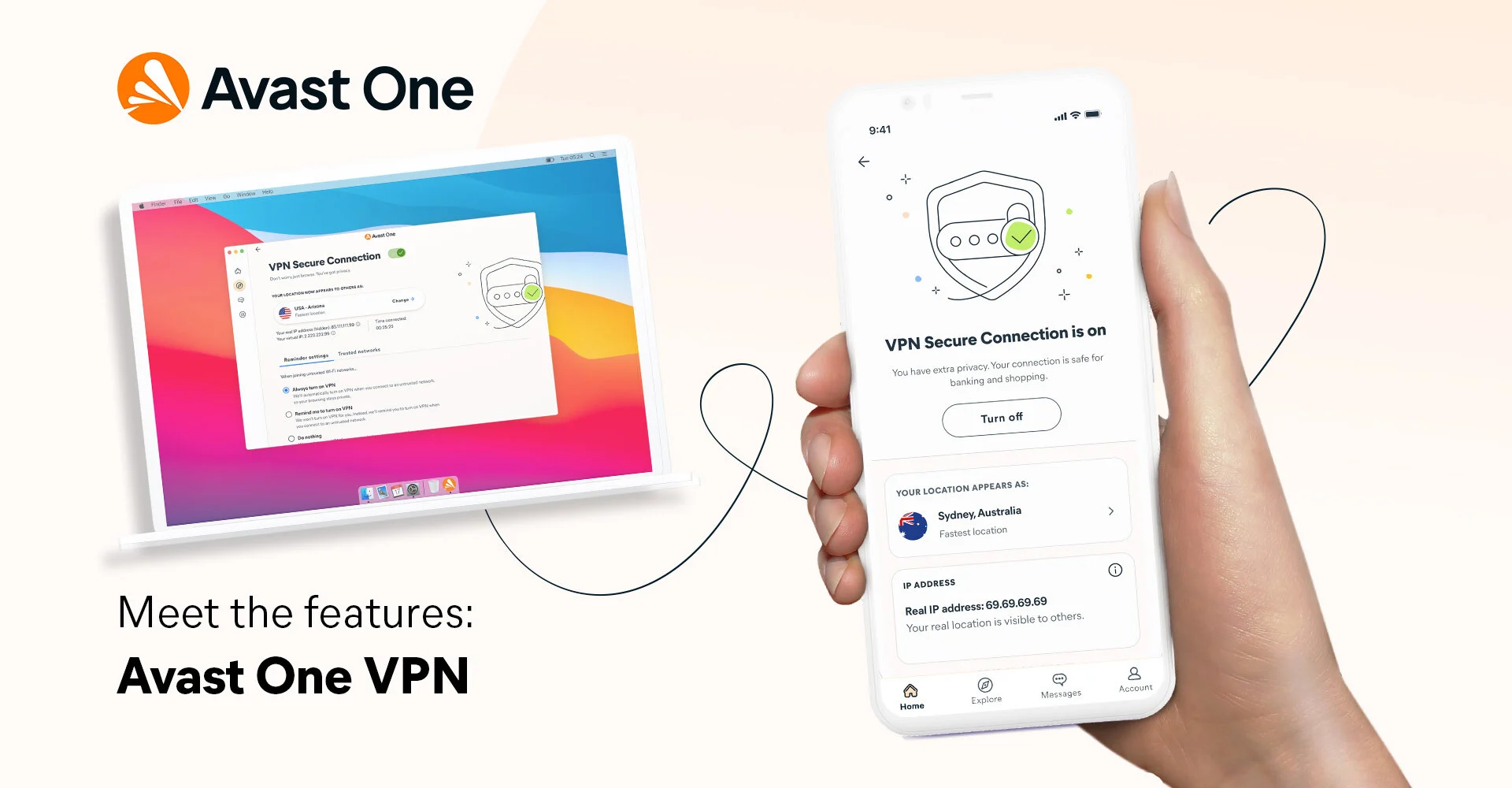
Avast One includes a VPN that ensures your privacy when using public or untrusted networks. The VPN offers servers in 37 countries, providing options for secure browsing wherever you are. You can also configure the VPN to activate automatically when connecting to certain types of networks or during activities like banking or shopping.
The VPN also includes advanced features, such as the ability to kill all internet traffic if the VPN disconnects unexpectedly and the option to maintain access to local devices (e.g., printers) while using the VPN.
Conclusion
Avast One is a comprehensive antivirus and privacy suite that provides excellent protection against online threats and privacy breaches. Its easy-to-use interface, robust features, and strong malware detection make it a great choice for most users. While it lacks a password manager and parental controls, its ability to safeguard personal information, monitor dark web activity, and optimize system performance makes it an attractive option for anyone looking to stay safe online.
Whether you’re concerned about viruses, malware, or your online privacy, Avast One offers the tools you need to protect yourself. With a clean interface, simple navigation, and strong performance, Avast One stands out as a powerful and user-friendly security solution for today’s connected world.