Air Explorer Pro: A Comprehensive Review of Its Sync and Backup Features
Air Explorer Pro is a unique sync program priced at $42, offering an impressive variety of online storage services that it can connect to.
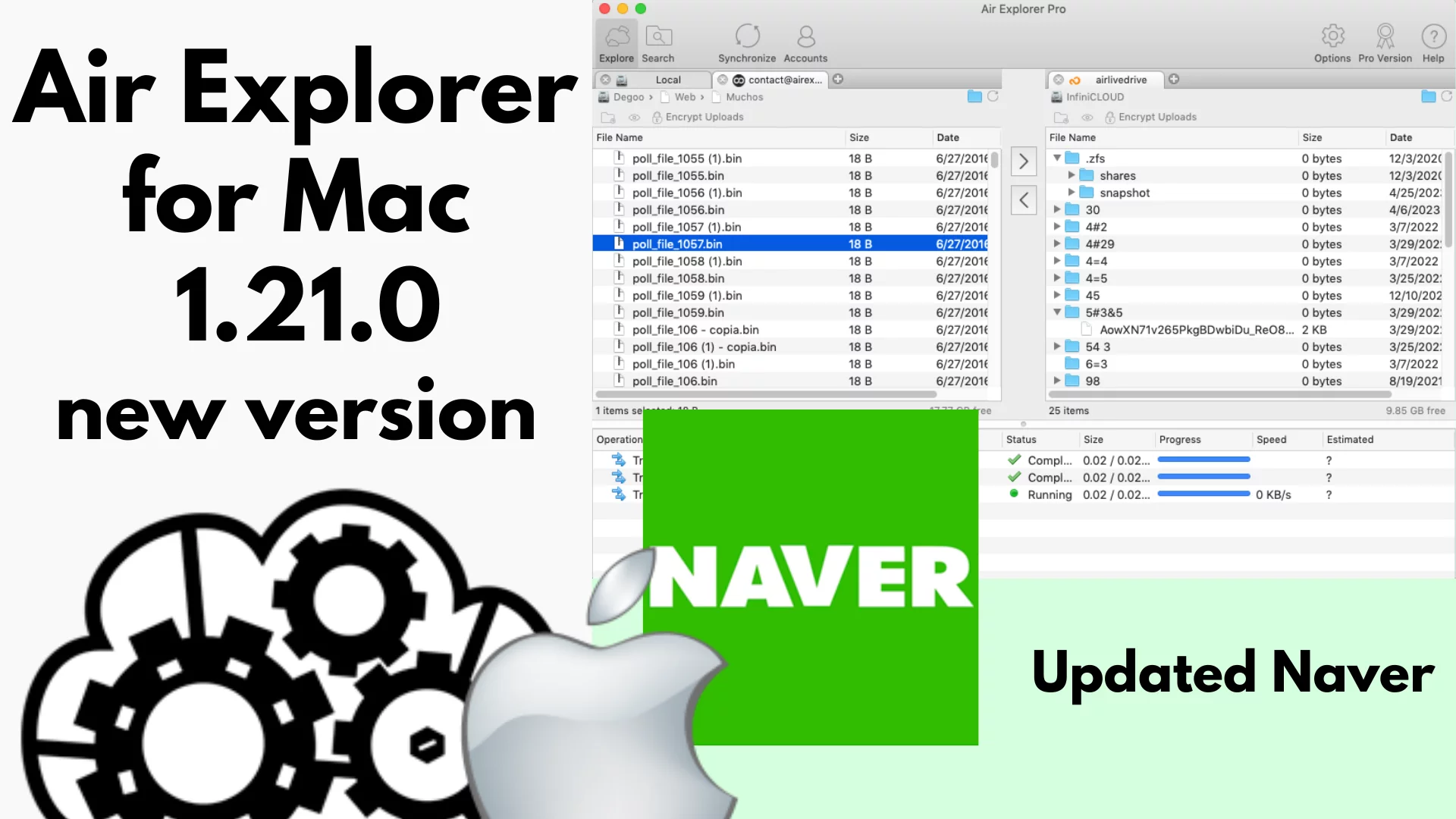
Air Explorer Pro is a unique sync program priced at $42, offering an impressive variety of online storage services that it can connect to. While there are many sync and backup applications available that integrate with online storage, Air Explorer Pro stands out due to its broad support for multiple cloud services. Unlike most applications in this category, which treat online storage as either a source or destination for syncing and backing up data, Air Explorer Pro provides an extensive range of supported platforms.
Supported Services and Free Version
The program supports several well-known cloud storage services, including Box, Dropbox, Google Drive, OneDrive, Azure, Amazon S3, and a range of S3-compatible services. While this list of supported services is impressive, it’s worth noting that Air Explorer Pro can connect to many more platforms, making it a versatile choice for users who rely on cloud storage for backup and synchronization. While the program’s paid version offers advanced features, there is also a free version available for users who only need to sync occasionally. This free version is sufficient for syncing to common end-user services, but it lacks support for more affordable S3-compatible or enterprise storage solutions. Additionally, the free version doesn’t allow you to save tasks or schedule operations, which makes it more manual and less convenient for frequent use.
User Experience and Operational Design
Despite its powerful capabilities, Air Explorer Pro can be a bit difficult to navigate, especially for first-time users. The main window layout consists of six buttons: Explore, Accounts, Search, Scheduler, Synchronize, and Options. These buttons control the primary functions of the program, and the “View” drop-down menu lets you adjust the displayed panes. The “Pro Version” button remains visible even after purchasing the paid license, which can be slightly confusing.
The program’s layout is logical at first glance but presents a few challenges in its workflow. For example, the “Accounts” tab should ideally be placed at the beginning of the window layout, as it’s more intuitive to add cloud storage accounts before starting any sync or backup tasks. Additionally, there is a separation between the “Scheduler” and “Synchronize” tabs that can be somewhat confusing. Ideally, these two features would be integrated or at least reversed in their order to make the workflow more straightforward.
One major issue users encounter is the need to define a synchronization task before the “Synchronize” function can be used in the “Scheduler.” This task must first be saved, and you must set the source and destination in the “Explore” tab before proceeding. For those just copying files, this extra setup may seem unnecessary, but it is essential for synchronization. Once the user understands the process, however, it becomes more manageable, though the lack of helpful prompts can extend the learning curve.
Advanced Features and Scheduling Options
Once you’ve gotten past the initial confusion, Air Explorer Pro’s full range of features becomes more apparent. The “Synchronize” dialog offers four common sync operations, which can be customized to suit your needs. You can schedule transfers to occur at specific times, with three primary modes available: Copy, Synchronize, and Zip Uploads. The “Copy” option simply transfers files to the destination, while “Synchronize” ensures that both the source and destination are mirrored. The “Zip Uploads” feature creates a compressed .zip file of the source folder and uploads it to the chosen destination.
It’s important to note that neither the “Copy” nor the “Zip Upload” options delete files from the destination that have been removed from the source. However, they will replace older files with newer versions, which means there is no true versioning or backup functionality in these modes.
Performance and Issues
In terms of performance, Air Explorer Pro operates quickly and without issue during file transfers and synchronization tasks. However, problems arose during Zip uploads, where permission errors occurred even in scenarios where no permission issues should have been present. Additionally, the program displayed errors related to non-existent folders that had been deleted after causing previous issues. In such cases, simply creating a new task with the same parameters resolved the issue.
Another issue with the Zip Upload feature is the lack of feedback in the Scheduler tab during a job. The program simply marks the task as “Running,” even when the log indicates that the job has already completed. This lack of real-time feedback can be frustrating for users who need to monitor the progress of their transfers. Moreover, when attempting to upload a Zip file from a local folder to a local destination, the program failed with a missing account error, which was another frustrating limitation.
Mac Version Performance
The Mac version of Air Explorer Pro lacks integrated scheduling and Zip upload features, which significantly reduces its functionality compared to the Windows version. Despite these limitations, the Mac version performed well overall, with only a few minor visual glitches. It’s also worth noting that users can transfer their license between computers, although it remains a single-seat license.
Conclusion
Air Explorer Pro is a capable and feature-rich sync application that supports both local and online storage services. However, the limitations with the Zip Upload feature and the interface design detract from the program’s overall usability. Despite these drawbacks, Air Explorer Pro remains a powerful tool for users who require synchronization and backup solutions across various cloud services. If you’re looking for a comprehensive solution, you may want to try out the free version first to determine if it meets your needs. As of now, the program is best suited for users who need robust synchronization and backup features but can overlook minor interface and performance issues.
For those who already have a preferred sync or backup solution, exploring cloud storage managers could be a good alternative. These applications treat online storage as local drives, allowing users to use their preferred tools for managing files.